Get in Touch with GUANGQI



LED Controller Explained: A Complete Guide for Designers and Engineers
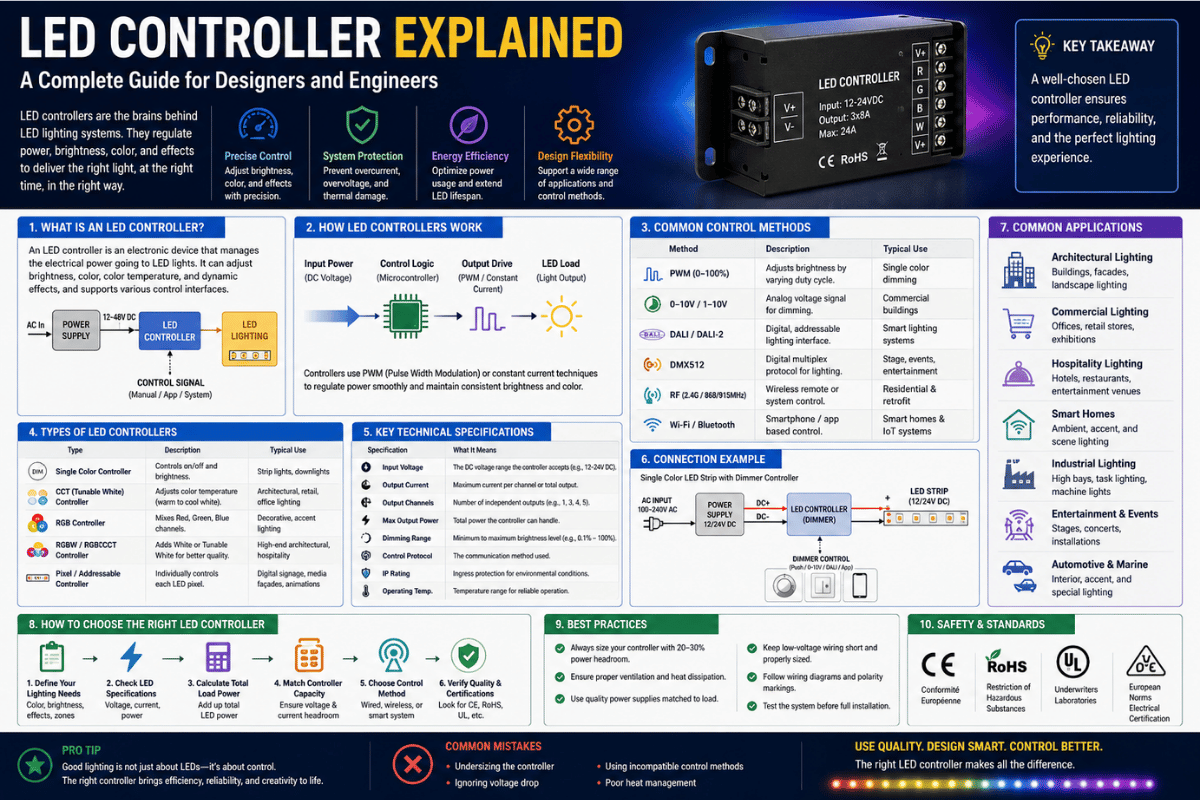
An led controller is the small electronic box that decides what your led strip, panel or fixture actually does — when it turns on, how bright it gets, what colour it shows, and how it talks to your phone, a wall switch or a stage console. The controller sits between the power supply and the lighting itself. Without one, an LED is fully on or fully off. With one, you get dimming, colour mixing, scenes, schedules and remote control. This guide walks through what the device is, how it works at the circuit level, the five common types, the hardware inside, the protocols it speaks, how to wire and pair it, what fails and why, how it ties into smart-home platforms, and what is actually shipping in 2026. Plain language with the engineering kept honest.
💡 Quick Specs: LED Controller Basics
- Typical input for an led strip light: 5 V / 12 V / 24 V DC (low-voltage strip lighting, often labelled 12v or 24v on the reel); 100-277 V AC for line-voltage families.
- Dimming technique: PWM (most common, 1-25 kHz), 0-10 V analog, Triac forward/reverse phase or digital protocol (DMX512 / DALI).
- Channels: 1 (single-color), 3 (RGB), 4 (RGBW), 5 (RGBCCT) or pixel-addressable (per-LED, hundreds-to-thousands).
- Wireless: Wi-Fi (often spelt wifi in product listings), Bluetooth Mesh, Zigbee 3.0, RF 2.4 GHz, IR or Thread (the lower-layer of Matter).
- Reference standard for flicker safety: IEEE Std 1789-2015.
What Is an LED Controller?
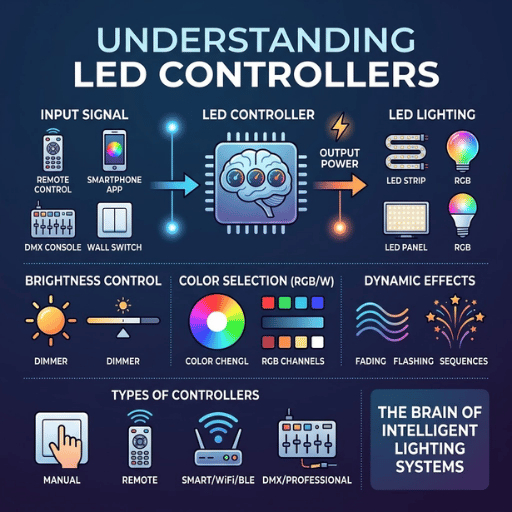
Plain English, a led controller is a tiny electronic device that converts the raw low-voltage DC coming from an LED driver into a modulated signal your LEDs can interpret as color, pattern or brightness. Downlights, neon flex, panel lights, pixel walls and strip lights all need a controller the moment you want anything other than steady-on lighting.
One simple mental analogy is to picture four layers in any led lighting install. Mains power first arrives at the power supply or driver, then through a clean low-voltage DC rail. From there, the controller takes that rail, pulses it on and off thousands of times per second and delivers it to one or many output channels feeding your LEDs. Last, a physical switch, remote, or app tells the controller what you want at the moment.
What does an LED controller actually do?
Three jobs, in priority order. First, it modulates current — it doesn’t simply block or pass power, it pulses the rail so the LED’s apparent brightness can sit anywhere between off and full. Second, it routes output to channels — a single-colour controller has one channel, RGB has three, RGBW four, and an addressable pixel controller has a single data line that addresses each LED individually. Third, it accepts commands — over a remote, a wired protocol like DMX, a wireless one like Wi-Fi or Zigbee, or a physical button. Everything else (presets, scenes, music sync, schedules) is software built on top of those three primitives.
A led controller isn’t exactly the same as a driver, a dimmer or a power supply despite all words being used interchangeably in catalogues. Sections below separate them into their proper names.
How Does an LED Controller Work? The Engineering Behind the Light
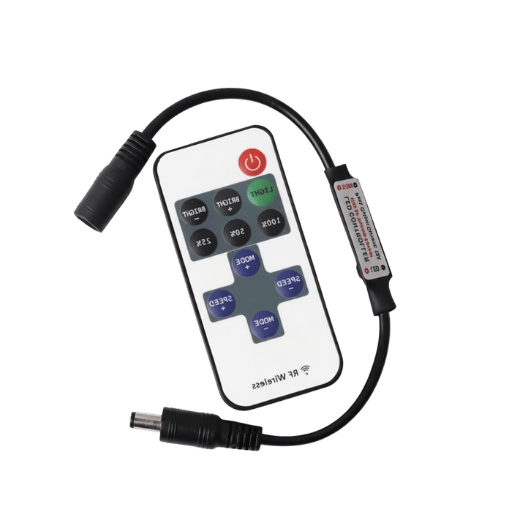
LEDs have a deeply non-linear current-versus-light response. You cannot dim a high-brightness LED smoothly by lowering its forward voltage the way you can with an incandescent bulb — drop the voltage a little and the LED stops emitting altogether or turns the wrong colour. So almost every LED dimmer alive does the same thing: leaves the current at the rated value but switches the LED on and off very quickly, varying the on-to-off ratio. Human eyes, with their much slower response, integrate the pulse train and see a steady but dimmer light.
What is PWM dimming and why do LEDs use it?
Pulse-width modulation, or PWM, is the technique. Each controller produces a square wave at a fixed frequency — anywhere from 240 Hz on cheap consumer hardware up to 25 kHz on stage and architectural gear. Duty cycle — the percentage of each cycle the wave spends in the “on” state — sets brightness. A 50% duty cycle gives roughly half-brightness; 10% gives a dim glow; 100% is full output. Because the LED is always running at its rated current when it is on, colour rendering and forward voltage stay consistent at any brightness setting — a key reason PWM beats analog dimming for LEDs.
The problem is flicker. If the PWM frequency is lower than a certain point, sensitive eyes perceive strobing, cameras detect rolling-bar artifacts, and some viewers complain of headaches or visual fatigue. IEEE addressed the issue seriously enough to publish a recommended practice — IEEE Std 1789-2015, released publicly in a 2022 DOE briefing — that details specific frequency limits. When the frequency is below 90 Hz, maximum flicker percentage should not exceed frequency × 0.08; the so-called “low-risk” band ranges from 90 Hz to about 1,250 Hz with more restrictive percentage flicker limits at lower frequencies; with frequencies above 1.25 kHz, flicker is considered to have little effect on most viewers. By switching at 25 kHz, a controller is visually indistinguishable from continuous light to either humans or standard in-camera cinema cameras.
“At frequencies below 90 Hz the maximum percent flicker should not exceed frequency × 0.08; above 1,250 Hz the modulation is regarded as having no observable effect.”
— IEEE Std 1789-2015, summarised in U.S. DOE LightFair briefing (2015)
PWM is not the only method, just the dominant one. Three older techniques still appear in real installations:
- 0–10 V analog dimming employs a low-voltage control signal — 0 V equals off, 10 V means full — to instruct the controller (or a dimmable driver) to set the output current accordingly. Popular in commercial fluorescent conversions and architectural wall panels.
- Triac forward/reverse phase dimming chops the AC mains waveform itself by firing a thyristor partway through each half-cycle. Works for line-voltage LED bulbs driven by a Triac-compatible driver; flicker depends on mains frequency and the dimmer’s smoothing.
- Digital protocol dimming (DMX512, DALI) sends discrete numerical brightness values that the controller decodes; the controller still produces PWM output internally — the difference is in how the command arrives.
Bottom line: under the hood, any led controller you buy is almost certainly producing PWM at the LED. What differs is the input — a knob, an analog voltage, a serial protocol or a wireless message — and how cleanly that input gets translated into duty cycle.
5 Types of LED Controllers (Single-Colour, RGB, RGBW/RGBCCT, Addressable, DMX)
Almost every led controller being sold today falls into one of five families, defined by what kind of LED it is meant to drive. Picking the wrong family is the single biggest installation error — a three-channel RGB controller will not operate an addressable WS2812B strip, and an addressable controller wired to a plain 12 V single-colour reel will simply leave the strip lit at full brightness.
| Type | Output channels | Signal to LED | Typical use |
|---|---|---|---|
| Single-colour dimmer | 1 (V+ / V-) | Single PWM channel | Under-cabinet, cove, accent strips |
| RGB controller | 3 (R / G / B) | 3 PWM channels, common anode | Colour-changing strips, decorative |
| RGBW / RGBCCT controller | 4 (RGBW) or 5 (RGBCCT) | 4-5 PWM channels | Hospitality, retail, residential mood |
| Addressable / pixel controller | 1 data line, per-LED control | SPI / one-wire (WS2812B, SK6812, APA102) | Pixel walls, dynamic facades, animated signage |
| DMX / DALI commercial controller | Multi-universe digital network | DMX512 or DALI bus | Stage, theatrical, large architectural |
What is an RGB LED controller?
In essence, an RGB led controller has three independent PWM output channels — one for red, one for green, one for blue — and varies the duty cycle of each to mix colours. At 100/0/0 the output is pure red; 0/100/100 is cyan; 70/70/70 is a desaturated white. Practically all consumer “colour-changing” strips use this scheme. Its weakness is white quality: mixing red, green and blue gives a passable white but not a clean neutral one, which is why RGBW (adds a dedicated white channel) and RGBCCT (adds warm and cool white channels) exist for installations where the white setting matters.
Are LED controllers universal?
No. The myth that one controller works with any LED catches buyers out constantly. Four things have to match before a controller and a strip will work together:
- Voltage match. A 24 V controller paired with a 5 V WS2812B strip will instantly destroy the strip; a 5 V controller on a 24 V reel will not turn it on at all.
- Signal type. A three-channel RGB controller sends three separate PWM lines; an addressable controller sends a single data line encoded for the strip’s specific IC. They are not interchangeable.
- Number of channels. RGBA strips require a five channel controller; RGBCCT need six. Plug an RGBA strip into an RGB controller and the green and blue pixels produce no light.
- IC compatibility (addressable only). WS2812B uses a different timing protocol compared to APA102 or SK6812 RGBW. Most software-defined controllers can change profiles, but low-cost fixed-IC remotes cannot.
All four have to match for almost any strip to work with almost any controller. Miss one and either nothing happens, the wrong colors appear, or the strip explodes.
What’s Inside an LED Controller? The Hardware Architecture
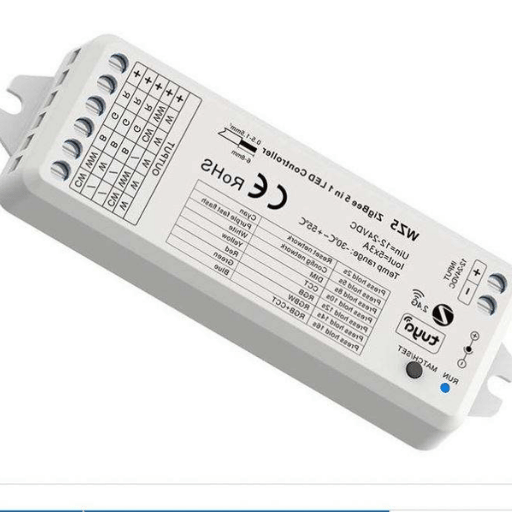
Open any commercial or consumer led controller from the past five years and you will see roughly the same five blocks on the board, regardless of manufacturer or price. As a maker running in-house mould development, optics, smart-driver design and firmware under one roof in Zhongshan, Guangqi has been shipping these architectures for fourteen years; the differences between brands are mostly cost optimisations of the same skeleton. For a custom control-board project, PCB fabrication and assembly from PCBARK can be scoped against the circuit files and test requirements; board manufacture remains separate from firmware and lighting-system integration.
Five blocks make up the architecture:
- Power input stage — usually a buck converter or LDO that takes 5 V, 12 V, 24 V or 48 V DC from the upstream LED driver and produces a steady 3.3 V / 5 V rail for the digital electronics. The same input power also passes through unchanged to the output MOSFETs feeding the LED.
- Microcontroller (MCU) — the brain. In smart Wi-Fi and Bluetooth controllers built since 2020, the dominant chip is the Espressif ESP32 or its single-core sibling the ESP8266, which package a Cortex-class CPU, Wi-Fi radio and Bluetooth stack on one die. Older RF-only and DMX-only controllers use cheaper STM8, 8051 or Nordic nRF parts. Firmware running on this MCU translates user commands into PWM duty cycles.
- Output stage — power MOSFETs (one per channel) that switch the high-current LED rail at PWM speeds. A single-colour controller has one MOSFET; an RGBCCT controller has five; an addressable pixel controller has a level-shifter feeding a single data line plus a low-current logic-level switch for the strip’s V+.
- Communication module — depending on type, an IR receiver, a 2.4 GHz RF transceiver, a Wi-Fi or Bluetooth radio inside the MCU, a Zigbee module, or a hardware DMX or DALI transceiver. Some commercial controllers stack two: Wi-Fi for app control plus 2.4 GHz RF for a wall remote that survives router outages.
- Driver IC (addressable only) — the chip that converts the MCU’s data stream into the precise nanosecond-level timing the strip’s LED IC expects. WS2812B’s 800 kHz one-wire protocol demands sub-microsecond pulse fidelity, so a dedicated driver IC sits between the general-purpose MCU GPIO and the LED IC.
Knowing this is useful for two reasons. First, it makes failure diagnosis easier — every problem in a controller is a problem in one of those five blocks, and Section 8 maps symptoms back to blocks. Second, it explains pricing: a $5 IR-only RGB controller is cheap because the MCU is a $0.30 8051 derivative and the comm stack is a single 38 kHz IR receiver; a $50 ESP32-based WLED controller costs more because the MCU and radio together are $5-8 of bill of materials and the firmware took years to mature.
LED Controller vs LED Driver vs Dimmer vs Power Supply: The 4-Layer Stack
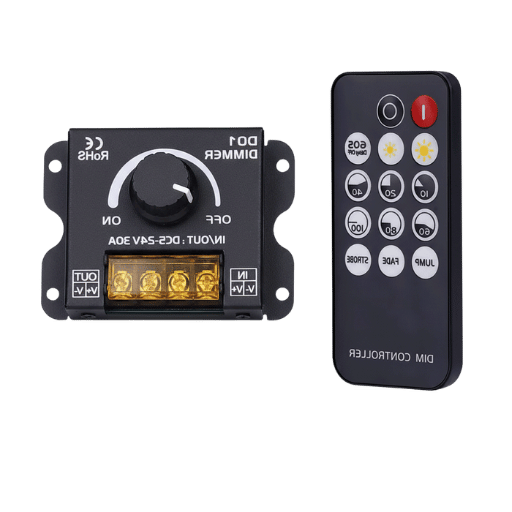
By far the most common reason for confused shopping — and for forum posts starting “I bought a driver, but my lights still won’t turn on” — is those four words being used as if they meant the same thing. They don’t. Assigning each one its job in a stack makes the difference clear.
The LED System Stack: 4 Layers of Control
- Layer 1 — Power: converts mains AC into a usable DC rail. (LED power supply / SMPS)
- Layer 2 — Conversion: turns the DC rail into the constant-current or constant-voltage form the LED actually needs. (LED driver)
- Layer 3 — Modulation: chops the LED current on and off (PWM) to set brightness, colour or scene. (led controller / dimmer)
- Layer 4 — Communication: receives user intent from a switch, remote, app or stage console. (Wi-Fi / RF / IR / DMX module inside the controller)
Power supplies (also called LED transformers in low-voltage parlance) live at layer 1. It takes 120-277 V AC mains and gives you 12 V or 24 V DC. It does not dim, does not change colour, does not talk to your phone — it just converts.
An LED driver lives at layer 2. Some drivers are constant-current types that fix the current at, say, 700 mA regardless of voltage — used for high-power chip-on-board panels and downlights. Others are constant-voltage types that feed a fixed 24 V rail to a strip with its own current-limiting resistors. Many drivers in commercial fixtures are dimmable, accepting a 0-10 V or DALI signal directly — in those cases the driver does the modulation job too, and an external controller is unnecessary.
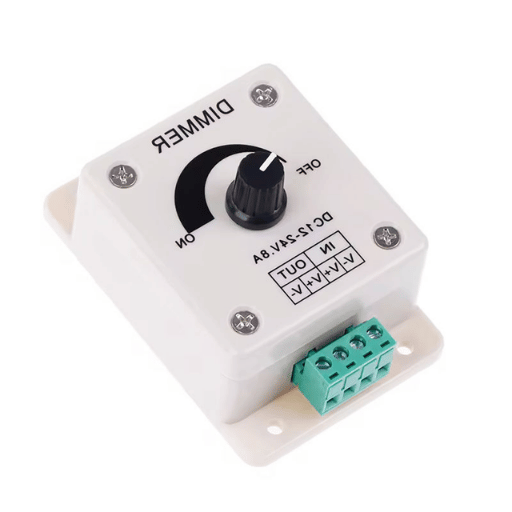
A dimmer is a controller with one channel. It only modulates the current to set the brightness. It does not change colour, address pixels, or run scenes. Most common examples are wall-mount Triac dimmers and 0-10 V slide controls.
An led controller is the general term for layer 3 — anything from a single-channel dimmer up to a multi-universe DMX engine driving thousands of pixels. The communication module on layer 4 is usually built into the controller’s housing.
⚠️ Common mistake
Buying a “dimmable LED driver” expecting it to also do colour mixing. The driver only handles current. If the fixture is RGB or RGBW you still need a separate colour controller downstream of the driver — or a constant-voltage driver feeding into a multi-channel controller, which is the standard architecture for RGB strip installations. Service teams across the industry see this exact misorder pattern weekly.
Communication Protocols Compared (DMX512, DALI, 0-10V, Wi-Fi, Bluetooth, Zigbee, Thread, Matter)
Choice of communication layer is what everyone argues about online and what determines whether a controller fits a residential, commercial or stage context. This section is the protocol theory primer. If you are speccing controllers for a commercial project — where IP rating, certifications and BMS integration matter more than protocol elegance — our commercial-grade led controller solutions page covers the buy-side selection criteria.
| Protocol | Wired or wireless | Devices per network | Latency | Typical context |
|---|---|---|---|---|
| DMX512 | Wired (XLR / RJ-45) | 512 channels per universe; multi-universe via Art-Net or sACN | ~25 ms refresh | Stage, theatrical, architectural facade |
| DALI / DALI-2 | Wired bus | 64 short-address devices per loop | ~50-200 ms | Commercial offices, hospitality BMS |
| 0-10 V analog | Wired pair | One control loop per circuit | Instant (analog) | Office retrofits, simple commercial |
| Wi-Fi (2.4 GHz) | Wireless | Limited by router / AP | 100-500 ms | Residential smart home, single-room |
| Bluetooth Mesh | Wireless mesh | Hundreds of nodes per mesh | ~50-200 ms | Hospitality, retail, mid-scale residential |
| Zigbee 3.0 | Wireless mesh | Up to 65,000 theoretically; ~250 practically | ~50-200 ms | Smart home (Hue, Aqara, SmartThings) |
| Thread | Wireless mesh (IPv6) | Hundreds; self-healing | ~50-100 ms | Matter-capable smart-home stacks |
| Matter (over Thread or Wi-Fi) | Application layer above Thread / Wi-Fi | Cross-platform (Apple, Google, Amazon, Samsung) | ~50-200 ms | Cross-ecosystem residential |
How do I control my LED with my phone?
For phone control, the controller has to speak a wireless protocol your phone or router understands. Three real options exist for residential users: Wi-Fi controllers (the phone connects to the controller over the home Wi-Fi via an app like Tuya, SmartLife, Govee or WLED), Bluetooth Mesh controllers (the phone pairs directly without a router; range is shorter), and Zigbee or Thread controllers (these need a hub like an Apple TV, Amazon Echo Hub or SmartThings hub that bridges to the phone). Tuya’s cloud platform alone runs an estimated several hundred million devices worldwide and is the most common backend for white-label Wi-Fi led controllers shipped from China — including most of the cheap brands sold on Amazon.
Choosing between Wi-Fi and a mesh protocol comes down to scale. One or two strips in a bedroom: Wi-Fi is the simpler path. A whole-house lighting plan with twenty fixtures: Bluetooth Mesh, Zigbee or Thread will be more reliable because each node also relays for the others, instead of every device contending for the same router.
Another protocol you don’t think about much but you should: RF 2.4 GHz with a physical remote. RF remotes don’t go through routers, don’t rely on the cloud, and don’t stop working if your internet goes down. For installations where the wall switch still needs to work in 2030, an RF backup channel is worth the few extra bucks on the controller BOM.
How to Set Up & Connect an LED Controller (Step-by-Step)
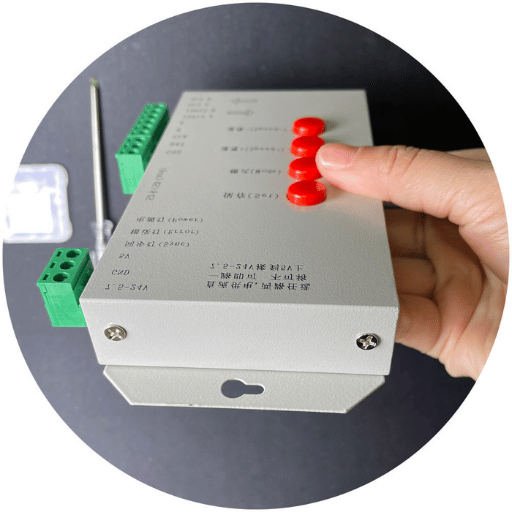
Hardware setup is straightforward: connect the four wires to the four appropriate terminals. Pairing with an app differs by protocol. Steps below are common for low-voltage strip controllers; line-voltage and DMX setups follow similar instructions but are more involved.
- Confirm voltage match — read the strip’s label and the controller’s input rating; they must agree (5 V, 12 V or 24 V).
- Connect the LED driver or power supply to the controller’s input — V+ to V+, V- to V-. A reverse connection on a controller without polarity protection will kill the unit.
- Connect the controller’s output channels to the strip. Single-colour: V+ and V-. RGB: V+ and three colour returns (R, G, B). RGBW: V+ and four returns. Addressable: a single data line plus the strip’s separate V+ and ground (often the strip is powered directly from the supply, not through the controller — see Common Mistake below).
- Apply power. The strip should light at the last-saved setting (most controllers default to white at 50% the first time).
- Pair your input device. IR or RF remotes only need you to point and push any button — most controllers pair automatically when they receive the first signal. For Wi-Fi, follow the app’s “add device” flow: usually a button press on the controller puts it into AP mode, the phone joins that AP briefly to send Wi-Fi credentials, then both reconnect to your network. With Bluetooth Mesh, the app pairs directly with the controller over Bluetooth and adds it to the mesh.
- Test scenes — cycle through brightness and colour to confirm every channel is lit and on the correct colour.
How can I control my LED without a remote?
Three options. App control is most common — the controller’s manual will list which app it works with (Tuya, SmartLife, Magic Home, Govee, WLED, Hue, etc.), and almost every Wi-Fi controller sold since 2020 supports at least one. Voice control via Alexa, Google Home or Apple Home becomes available once the controller is added to the smart-home platform — see the next section. Wall-switch integration is the third option — a Lutron Caseta, Shelly or Sonoff inline switch wired upstream of the controller gives you a physical control point that survives Wi-Fi outages, although it can only switch power on and off, not change colour or scene.
Do LED controllers need batteries?
No, the controller itself does not — it takes its power from the LED supply. Most of the time the LED is powered by its own power supply; its remote is usually powered by a CR2032 or AAA cell that lasts a year or two. Wired controllers (DMX, DALI, 0-10 V) and most Wi-Fi controllers have no batteries anywhere; they remember settings in non-volatile flash memory that survives a power cut.
⚠️ Common mistake
Wiring an addressable strip’s V+ rail through the controller’s output instead of straight from the power supply. As one r/WLED veteran bluntly puts it: “If the strip is 24 V it’s probably not WS281x; connect the power supply directly to the lights and don’t use the power from the controller.” Cheap addressable controllers cannot pass full strip current through their output MOSFETs and will either burn out or under-volt the strip.
Common LED Controller Problems & Troubleshooting
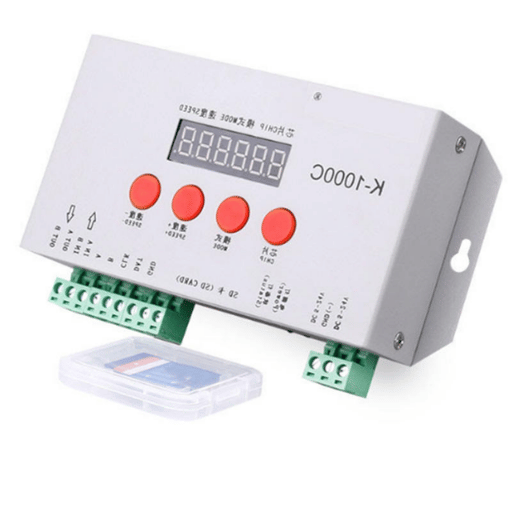
Five failure patterns cover the overwhelming majority of led controller complaints across the industry. Working through them in order solves most issues without a multimeter.
| Symptom | Likely cause | First check | Repair or replace? |
|---|---|---|---|
| Dead unit, nothing lights | Power supply failure or controller fail | Probe input voltage; if 0 V the PSU is dead | PSU dead → replace PSU. PSU OK but no output → replace controller. |
| Visible flicker | Wrong PWM frequency for camera; loose data line; under-rated PSU | Reseat data wire; check PSU current rating against strip draw | Persistent flicker after wiring fix → replace controller with higher-frequency model. |
| Wrong colours | Channel-order mismatch (RGB strip wired to RGB controller in BGR order); IC chip mismatch on addressable | Swap two channel wires and retest; check controller’s IC profile setting | Strip-side issue, not controller — rewire or change IC profile. |
| Short range / dropouts | Antenna obstruction; 2.4 GHz interference; firmware not staying connected | Move closer; change Wi-Fi or Zigbee channel; reboot router | Reboot/repair pair first. Persistent → repair or replace. |
| Partial channel loss (one colour dead) | Output MOSFET damaged on one channel | Test each channel with a known-good strip | Repair viable on PCB-level; otherwise replace. |
About half of “controller is dead” complaints turn out to be an upstream power-supply failure. HitLights’ service blog summarises the pattern: “A malfunctioning power supply is one of the most common reasons an LED strip controller fails.” Govee’s troubleshooting docs align, listing defective PSU, incorrect wiring, and a faulty controller as the top three “won’t start” causes — in that order of frequency.
A “controller still on after I told it off” pattern that appears in r/led posts is almost always a Wi-Fi state-sync bug: the cloud thinks the controller is off, the controller thinks it is on, the app shows the cloud’s state. Power-cycle the controller and re-pair before assuming hardware failure.
On the repair question: many low-voltage controllers that have suffered a single MOSFET burn-out can be repaired on a hot-air station — the parts cost is under a dollar, and an experienced electronics repair tech can swap them in fifteen minutes. For Wi-Fi controllers where the ESP32 module itself has died, replacement is usually faster than repair. For sealed potted outdoor units, replacement is the only option.
Smart Home & IoT Integration (Tuya, Google Home, Alexa, Apple Home)
Once an led controller joins a smart-home platform, it stops being a switch and starts being part of a system. Five platforms cover effectively the entire residential market.
| Platform | Native protocol(s) | Voice assistant | Best controller match |
|---|---|---|---|
| Tuya / SmartLife | Wi-Fi, Zigbee (via Tuya hub) | Bridges to Alexa, Google | Most generic Chinese-OEM Wi-Fi RGBW controllers |
| Google Home | Wi-Fi + Matter via Thread (Nest hubs) | Google Assistant | Matter-certified or Google-certified Wi-Fi |
| Amazon Alexa / Echo | Wi-Fi, Zigbee (Echo 4th gen+), Matter via Echo Hub | Alexa | Zigbee or Matter controllers; “Works With Alexa” Wi-Fi |
| Apple Home / HomeKit | Wi-Fi, Thread (HomePod / Apple TV), Matter | Siri | Matter-certified or HomeKit-certified |
| SmartThings | Wi-Fi, Zigbee, Z-Wave, Matter | Bixby + bridges | Zigbee / Matter for native; Wi-Fi via SmartThings cloud |
Your biggest decision is whether you commit to one platform or buy Matter-certified hardware that works across all of them. Matter is the cross-platform application layer that Apple, Google, Amazon and Samsung jointly back; controllers carrying the Matter logo work natively with all four ecosystems’ apps and voice assistants. One downside in 2026 is that Matter-certified led controllers carry a price premium — often 30-50 % over equivalent Tuya-only Wi-Fi units — and the certification process favours larger brands. Most cheap white-label controllers still ship Tuya-only.
Industry Outlook 2026: What Matter 1.5 Actually Shipped, and What Still Hasn’t
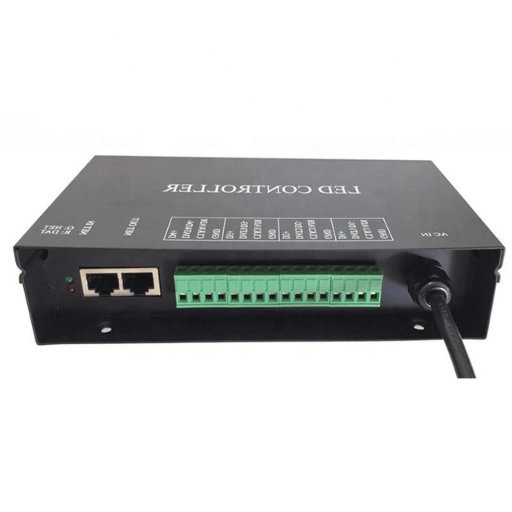
A headline trend in residential lighting infrastructure for 2026 is also the most misreported. Press coverage in late 2025 widely anticipated that Matter 1.5 would standardise addressable RGBIC strips and pixel-LED control. Actually, the specification released by the Connectivity Standards Alliance on November 20, 2025, did not. Matter 1.5 added device types for cameras, closures (blinds, awnings, garage doors), and enhanced energy management capabilities. A follow-up update, Matter 1.5.1 (March 2026), focused on camera bandwidth, multi-stream video and custom chimes — again no addressable-light expansion.
This matters for anyone speccing a 2026 lighting project. A “Matter will solve RGBIC” promise that floated around 2024-2025 trade press has slipped. Matter today still treats LEDs as on / off / brightness / colour-temperature / hue-saturation devices in the colour-control cluster — the basic single-pixel model. There is no standardised “address LED 247 in the strip to coral” path in the spec yet.
What this means in practice:
- Single-colour, RGB, RGBW and tunable-white controllers can be Matter-certified today and do work across ecosystems. If you want one controller to talk to Alexa, Google and Apple at once, this is your zone.
- Addressable / pixel controllers still require vendor-specific apps (WLED, Magic Home, SP-LED, Tuya). Cross-platform pixel control via Matter is not yet shipping; whether it lands in Matter 1.6, 1.7, or later remains undefined in the CSA-IoT roadmap as of mid-2026.
- CSA’s iterative attention in 1.5 and 1.5.1 was on cameras and energy. Each of those is now a standardised Matter device class with cross-platform recipe support; addressable-light control is not.
Three other shifts are worth tracking through 2026 and 2027. First, the WLED open-source firmware now controls retail SKUs with up to 4,096 pixels — the gap between hobbyist DIY tooling and commercial product has effectively closed. Second, Thread mesh adoption inside HomePod, Apple TV, Nest and Echo Hub continues, replacing Zigbee on many new product lines and improving multi-room reliability. Third, “Smart LED” search interest rose roughly fivefold over the six months ending September 2025 (per DataForSEO trend data), confirming that residential demand for app-controlled, voice-controlled and platform-integrated lighting is still in growth — even if the underlying standard is taking longer to mature than the marketing claimed. If you are planning a 2026 deployment, certify against Matter 1.5.1 for cross-platform basics and treat addressable / pixel control as ecosystem-specific until further notice.
Frequently Asked Questions
Do LED controllers need batteries?
View Answer
No — the controller itself draws power from the LED supply. The remote that ships with it usually does take a CR2032 or AAA cell, lasting a year or two of normal use. Wired controllers (DMX, DALI, 0-10 V) and most Wi-Fi controllers contain no batteries; they keep settings in flash memory that survives a power cut.
How long do LED controllers last?
View Answer
A reasonably built led controller has a service life of five to ten years. Cheap unbranded units often fail in two to three years, usually from output-stage MOSFET fatigue or capacitor degradation in the input section. Operating temperature drives lifetime more than anything else — a controller installed in a hot, sealed cove will age noticeably faster than the same unit on an open shelf.
Can an LED controller be repaired?
View Answer
Often, yes. A burnt output MOSFET can be desoldered and replaced for under a dollar by a tech with a hot-air station. A failed input capacitor is similarly cheap. A dead Wi-Fi or Bluetooth radio module is harder — usually faster to replace the whole controller than to repair. Sealed outdoor potted units cannot be opened and have to be replaced.
Why does my LED controller stop working?
View Answer
In rough order of likelihood: the upstream LED power supply has failed (about half of “dead controller” complaints), a wire has come loose, the MCU firmware has crashed and needs a power cycle, the Wi-Fi router has changed channel and the controller cannot rejoin, an output MOSFET has burned out, or the controller has reached end of service life. Section 8 above covers the diagnostic order.
What is an SPI LED controller?
View Answer
An SPI LED controller drives addressable LED strips that use a Serial Peripheral Interface protocol — typically chips like APA102, SK9822 or HD107s that need both a clock line and a data line, unlike the WS2812B family which uses a single data line. SPI strips give faster refresh and tighter timing, which is why high-end pixel installations and persistence-of-vision rigs prefer them.
Does an LED controller need a separate power supply?
View Answer
Yes. Layer 3 of the stack described in Section 5 is where the controller sits; an upstream power supply (layer 1) and often an LED driver (layer 2) feed it the DC rail it modulates. Some all-in-one consumer products bundle a small switch-mode supply into the controller housing, but in any installation longer than a few metres of strip the supply lives in its own enclosure for thermal reasons.
Can I use any LED controller for my LED lights?
View Answer
No. Four things must match: voltage (5 V / 12 V / 24 V), signal type (PWM vs SPI vs DMX), channel count (1 for single-colour, 3 for RGB, 4 for RGBW, 5 for RGBCCT, or per-pixel for addressable), and IC compatibility on addressable strips (WS2812B, APA102, SK6812 are not interchangeable). Section 3 walks through each check.
Choosing the Right LED Controller for Your Project
Whether you are speccing a single residential strip or a multi-zone architectural facade, the selection logic stays the same: match the four compatibility checkpoints (voltage, signal type, channel count, IC compatibility on addressable strips), pick a protocol that fits the scale and ecosystem, and verify flicker performance against IEEE 1789 if the installation is somewhere people work or live for long hours. For commercial-grade builds with certified IP-rated outdoor enclosures, OEM customisation, and BMS integration, the Guangqi LED Controller solutions page covers the buy-side selection criteria — including channel-universe sizing, voltage-drop calculation, and protocol selection — that go beyond the educational scope of this guide.
Discuss your LED controller project with our engineering team →
Why We Wrote This Guide
Guangqi Lighting has designed LED drivers, addressable controllers and tunable-white modules in-house at our Zhongshan factory since 2010, exporting to more than fifty countries. This guide was written because the gap between what the trade press promised about Matter 1.5 and what the November 2025 specification actually shipped is wide enough to mislead specifiers, and because the controller-versus-driver-versus-dimmer confusion costs buyers real money every week. The technical numbers above (IEEE 1789 thresholds, Matter 1.5 device-type list, ESP32 architecture details) all come from cited primary sources — not from a generic LED FAQ.
References & Sources
- Understanding the New IEEE Recommended Practice — IEEE 1789-2015 LED Flicker Briefing — U.S. Department of Energy
- Matter 1.5 Introduces Cameras, Closures, and Enhanced Energy Management Capabilities (November 20, 2025) — Connectivity Standards Alliance
- Matter 1.5.1: Enhancing Camera Performance and Expanding Device Flexibility (March 2026) — Connectivity Standards Alliance
- Design of Library Intelligent Lighting System Based on Deep Learning (PWM Dimming Reference) — National Library of Medicine / PubMed Central
- Nanosecond Pulsed Current Source for Light Emitting Diode (LED) Driver Research — Iowa State University Digital Repository
Related Articles
- Commercial LED Controller Solutions: DMX, DALI, 0-10V, Pixel — Guangqi product lines, IP66 outdoor, OEM and ODM
- About Guangqi Lighting — fourteen years of lighting design and manufacturing